![iFoodDS-Logo-Green-1.png]](https://info.ifoodds.com/hs-fs/hubfs/iFoodDS-Logo-Green-1.png?height=50&name=iFoodDS-Logo-Green-1.png)
Remove a supplier from your network
- Navigate to Your Supplier Network in Trace Exchange.
- Locate the supplier you want to remove.
- Select the three-dot menu on the right side of the supplier row.
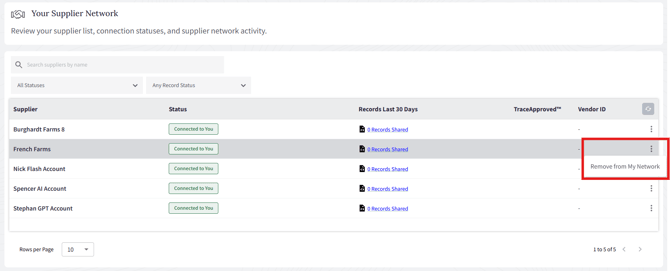
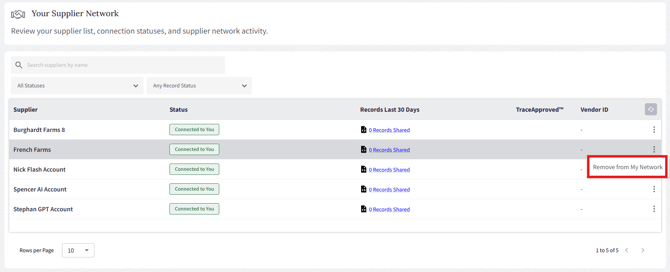
- Select Remove from My Network.
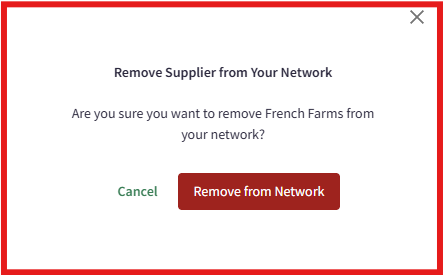
- A confirmation window will appear. Select Remove from Network to confirm.
- Once the supplier has been removed, a confirmation message will appear and the supplier will no longer be connected to your network.
EDI-enabled networks
If your network is configured as EDI enabled, suppliers cannot be removed using this feature.